Your finances, all together.
Keep track of your accounts, investments and loans. Moony keeps your financial data right on your computer.
Free and open source · Version 1.0.0
- No sign-up
- Data stays with you
- Works offline
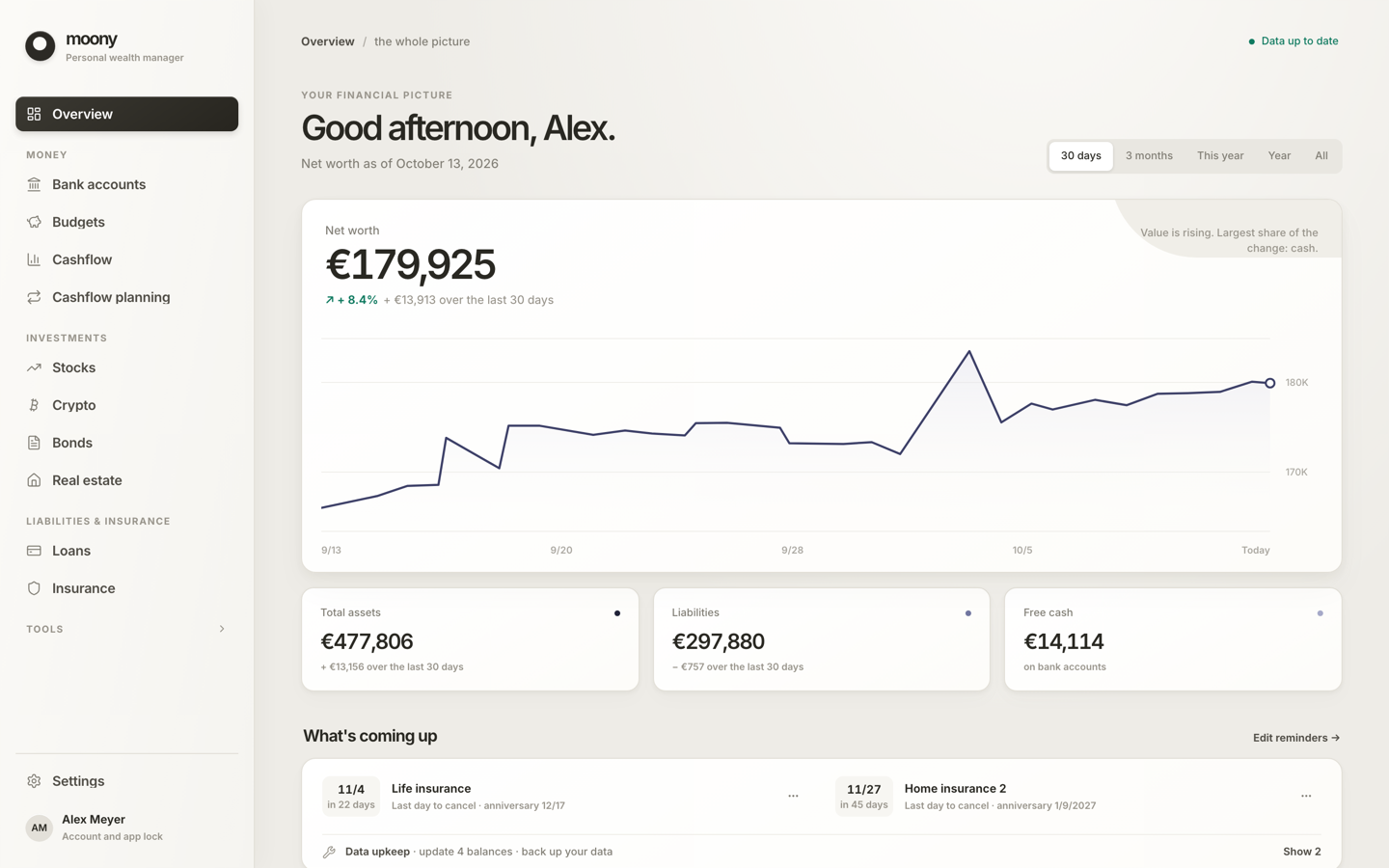
See where you stand.
Account balances, investments and the debt you still owe. One overview, built around what you want to track.
- Assets and debts together
- Income and spending in context
- Investments over time
Start with a bank statement.
Import a statement to see where your money goes and how much is left. Organise transactions into categories and set rules for next time.
- Income and spending, month by month
- Duplicate transactions are skipped
- Undo an import if you need to
Supported formats
CSV with column detection, CAMT.053, MT940, OFX/QFX and QIF. Direct bank connections are not available yet.

Follow your investments over time.
See what you put in and what your investments earned. Track stocks, ETFs and crypto, and follow the value of your portfolio.
- Returns and dividends received
- Up-to-date stock and crypto prices
- Import from XTB, Trading 212, Degiro and IBKR

Property, insurance and loans, too
Bring property, insurance policies and loans into your overview. Keep their values, payments and important dates together.
- Property: valuations, rent and costs
- Insurance: payments, dates and documents
- Loans: repayments and outstanding debt

You can start with one account.
There is no need to add everything at once. Bring in other accounts and investments whenever you are ready.
Create your profile
Choose your currency and password. Save your recovery key.
Add your first account
Enter a balance or import a bank statement.
Make it your own
Add more of what you want to track as you go.
What else can you track?
- Bank accountsStatements, rules
- BudgetsMonthly limits
- CashflowReport and plan
- Stocks and ETFsReturns, dividends, watchlist
- CryptoHoldings, history
- Real estateValues, rent, costs
- Bonds and other assetsCoupons, maturities
- LoansSchedules, extra payments
- InsurancePayment calendar
10 languages · 45 supported currencies · Light and dark mode
Your finances stay yours.
No tracking
No analytics or usage statistics. Prices, exchange rates and updates are checked online. Price services see the symbols you track, not your balances.
Encrypted data
Records and attachments are encrypted on your computer. Exported files and saved copies are unencrypted, so keep them somewhere safe.
Backups you control
Back up your data to a file or export it. Save your recovery key during setup so you can reset a forgotten password.
Ask an AI agent about your finances
Connect Moony to your AI agent through MCP. Give it context for analysis and suggestions based on your situation.
How to set it up →Your finances in Moony
Accounts, investments, property and debts.
Your AI agent
Claude or another client that supports MCP.
Analysis and suggestions
Based on your data and your situation.
For example, you could ask
What share of my portfolio is in my three largest investments?
Estimate my apartment’s value using its details in Moony and current listings.
For a property estimate, the agent also needs current market information.
The integration is off by default. Enabling it gives your chosen AI client access to your data, which it may process in its provider’s cloud.
Download Moony for free.
Free for macOS, Windows and Linux. No sign-up or trial period.
Windows may show a security warning on first launch because the installer is not signed yet. Read the installation notes before downloading.